
Most of what you do on Opionate doesn't touch your credit balance at all - building a survey question by question, reviewing responses, browsing a dashboard, manually defining your own Text Analytics categories, none of it costs anything. Credits specifically come into play at a handful of AI-assisted actions, and knowing exactly which ones in advance means you're never caught off guard mid-task wondering why your balance moved.
Actions That Draw From Your Balance
Generating a survey with AI. Using the AI Survey Builder to turn a prompt into a full set of questions is a credit-consuming action, since it relies on an AI model to do the actual generation work.
Publishing a survey. Taking a survey live draws from your credit balance as well - worth knowing before you're ready to launch, so a low balance doesn't catch you at the exact moment you're trying to publish.
Previewing an AI-generated follow-up question. If your survey uses AI-generated follow-up questions that adapt based on a respondent's answer, previewing what that follow-up will look like before it goes live is a credit-consuming step.
Running AI-assisted classification in Text Analytics. Letting AI propose a starting set of categories from your open-ended responses, or running a classification pass to actually sort responses into categories, both draw from your balance - covered in more depth in our Introduction to Text Analytics.
Generating AI-powered insights. Any feature that asks AI to generate a summary or insight from your data also draws from your credit balance.
Actions That Are Always Free
Building and editing a survey manually - adding, removing, or rearranging questions by hand - never costs credits, regardless of how many times you revise it before publishing. Defining your own Text Analytics categories manually, without letting AI propose them, is free, and manually reassigning a response to a different category afterward is free too. Viewing your dashboard, building and rearranging widgets, applying filters and cross-tabs, and exporting a dashboard to PowerPoint are all free actions. Collecting responses - regardless of volume - doesn't cost credits either; credits are tied to specific AI-assisted actions, not to how much data your surveys collect or how many people respond.
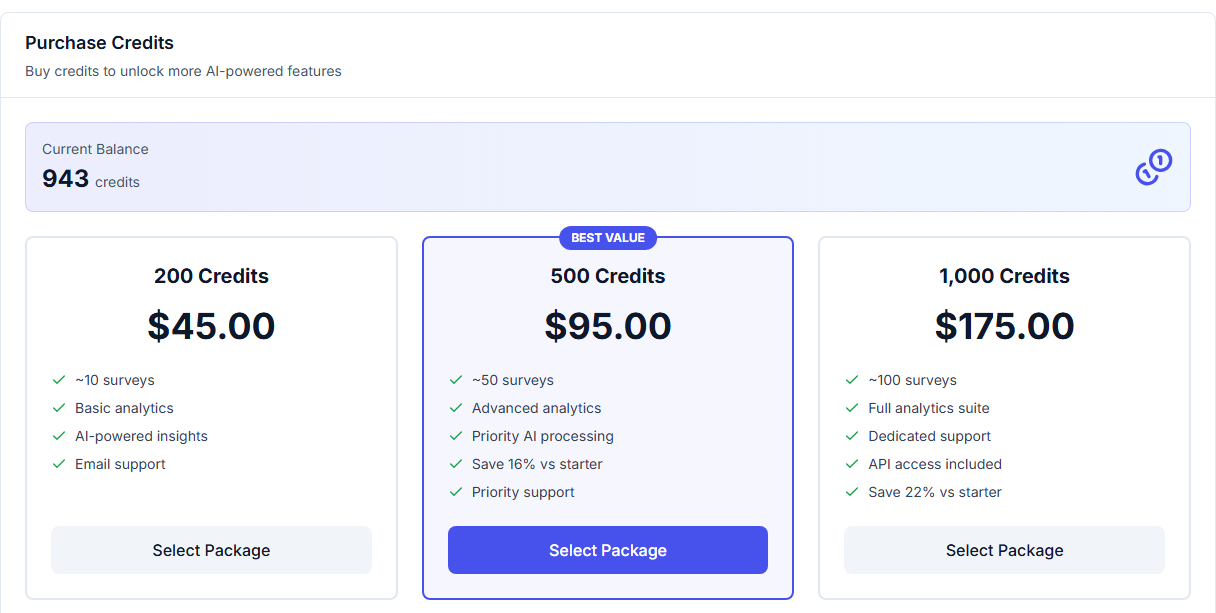
The balance these actions actually draw from - visible at a glance from your Billing page.
Why This Split Exists
The dividing line isn't arbitrary - every credit-consuming action specifically relies on an AI model doing real computational work behind the scenes, which is genuinely more costly to provide than a manual action a user completes themselves within the platform's normal interface. This is also why the free actions stay free regardless of scale: reviewing a thousand responses manually or building an elaborate ten-widget dashboard uses the platform the way it's designed to be used, without invoking the AI-specific infrastructure that credits are actually paying for.
FAQ
Does collecting more survey responses cost more credits?
No - response collection itself is never a credit-consuming action, regardless of volume. Credits are tied specifically to AI-assisted actions, not to your response count.
If I manually define my own Text Analytics categories, is that free?
Yes - defining and editing categories yourself, without using AI to propose them, doesn't cost credits. Only the AI-assisted steps (proposing categories, running a classification pass) do.
Does editing a survey after it's already been generated with AI cost more credits?
No - the credit cost applies to the initial AI generation step. Manually editing the resulting questions afterward, however extensively, doesn't cost additional credits.
Is there a way to see exactly how many credits a specific action used?
Yes - your transaction history lists every credit-affecting action individually, so you can see exactly what each one drew from your balance.
For where to check your balance and usage over time, see Understanding Your Credit Balance and Transaction History.