
Whether you signed up with a password or with your Google account, there are a few login basics worth knowing before you actually need them - ideally before you're locked out and searching for how to fix it. This guide covers resetting a forgotten password, changing your password while you're already logged in, why email verification matters, and how Google sign-in works if that's how you access your account.
Resetting a Forgotten Password
If you've forgotten your password, the sign-in page includes a password reset option that sends a reset link to your account's email address. Following that link lets you set a new password without needing to know your old one - the standard, secure way to regain access when you genuinely can't remember your current password. The reset link is tied specifically to your account's verified email, which is one of several reasons keeping your email address current on the account matters.
Changing Your Password While Logged In
If you already know your current password but simply want to change it - a routine security habit, or a reaction to reusing a password somewhere you'd rather not have - you can do this directly from your account settings while logged in, without needing to go through the forgot-password flow at all. This is generally the more direct route whenever you're already able to log in normally.
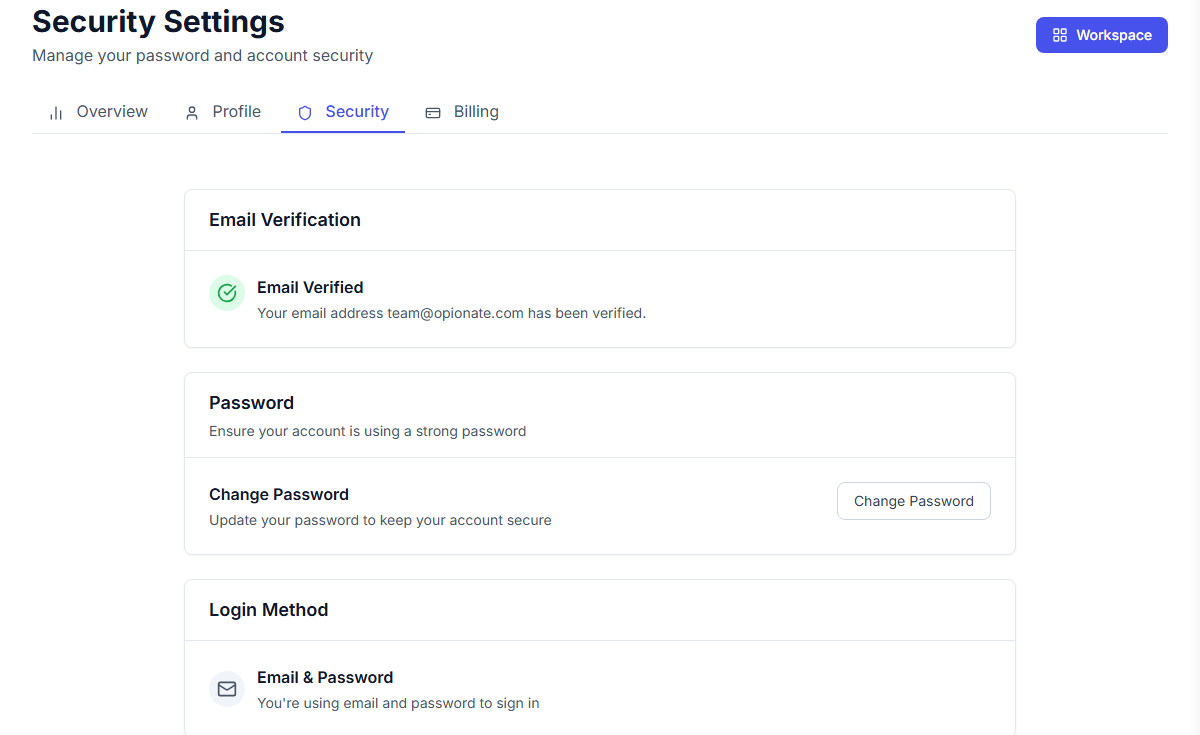
Everything login-related lives on one page - verification status, password, and which method you sign in with.
Why Email Verification Matters
Verifying your email address confirms that the address on file is genuinely yours and genuinely reachable - which matters for more than just a one-time signup formality. Your verified email is where password reset links, purchase receipts, and other account-related communications are sent, so an unverified or outdated email address can leave you unable to recover access if you ever need to, or unable to receive a receipt you need for an expense report. If you've recently changed email providers or suspect your address on file might be out of date, checking your verification status is worth doing before it becomes a problem.
Signing In With Google
If you originally created your account using Google sign-in rather than a password, your account is linked to your Google account for authentication - signing in works by authenticating through Google rather than entering a separate Opionate password. This means the standard password-reset flow doesn't apply the same way, since there's no separate Opionate password to reset in the first place; access instead depends on being able to sign in to the same Google account you originally used.
FAQ
What if I signed up with Google and can't access that Google account anymore?
Since sign-in is tied to your Google account's authentication rather than a separate Opionate password, losing access to that Google account is a more involved situation than a standard password reset - reach out to support with as much detail as you can provide about your Opionate account.
Do I need to verify my email again if I already verified it once?
No - verification is a one-time confirmation per email address on file. You'd only need to reverify if you changed your account's email address to a new one.
Is there a difference in security between password-based and Google sign-in?
Both are legitimate, secure ways to access your account. Google sign-in relies on your Google account's own security (including whatever protections you have enabled there), while password-based sign-in relies on the strength and uniqueness of your Opionate password specifically.
How long does a password reset link stay valid?
Reset links are time-limited for security reasons - if a link has expired by the time you click it, simply request a new one from the password reset page.
For more on your account, see How to Delete Your Account (and What Happens When You Do).