
Opionate runs its AI-powered features on a credit system rather than a traditional per-seat subscription. Every account starts with a free credit balance, and specific AI-assisted actions - generating a survey with AI, running AI-assisted classification in Text Analytics, and a handful of others - draw down from that balance as you actually use them. This guide covers where to find your balance, how to read your transaction history, and what's worth knowing about how credits behave day to day.
Where to Find Your Credit Balance
Your current credit balance is visible from your account settings, and it updates immediately any time a credit-consuming action completes - there's no delay or batch processing involved. If you're ever unsure whether an action is about to cost credits, checking your balance before and after a specific action is the most direct way to confirm what it actually charged.
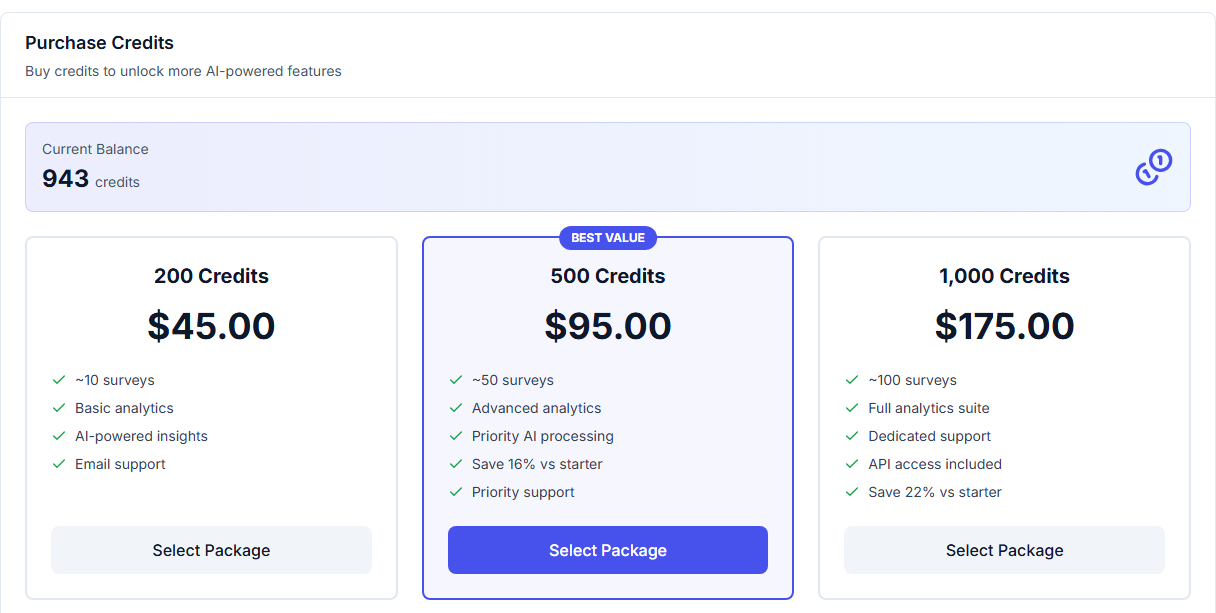
Your balance and your purchase history together - date, package, amount, and status for every transaction.
Reading Your Transaction History
Your transaction history page lists every credit-affecting event on your account in order, each entry showing what the action was, when it happened, and how it changed your balance. This is the most reliable way to understand your own usage pattern over time - if your balance is dropping faster than expected, the transaction history will show you exactly which actions are responsible, rather than leaving you to guess. It's worth checking periodically if you're using AI-assisted features regularly, especially early on, simply to build an accurate sense of how your specific usage translates into credit consumption before it becomes a surprise.
Credits Don't Expire
Unlike some credit-based systems that reset on a monthly cycle whether you've used them or not, Opionate credits don't expire - a balance you're not actively using simply sits there until you're ready to use it. This means there's no benefit to rushing to "use up" credits before some deadline, and no penalty for going through a slow period without much AI-assisted activity. It also means your transaction history is a genuinely cumulative record from the start of your account, not something that resets and loses context every billing cycle.
What Happens If Your Balance Runs Out
If your credit balance isn't enough to cover a specific AI-assisted action, that action won't complete - you'll need to add more credits before proceeding. This doesn't affect anything you've already built or collected; surveys you've already published keep running, responses keep coming in, and everything not specifically drawing on AI-assisted credit-consuming features continues working normally. Our guide on what actually consumes your credits covers exactly which actions require a sufficient balance, so you can plan ahead rather than being caught off guard mid-task.
FAQ
Does my credit balance ever reset or expire?
No - credits carry forward indefinitely and only change when you either use a credit-consuming feature or add more credits to your account.
Can I see exactly which action caused a specific balance change?
Yes - your transaction history lists each credit-affecting event individually, in order, so you can trace any change in your balance back to the specific action that caused it.
What happens to work I've already done if I run out of credits?
Nothing you've already built or collected is affected - existing surveys, responses, and dashboards continue working normally. Only new AI-assisted actions that require credits are paused until your balance is topped up.
How do I add more credits if my balance runs low?
See our guide on how to buy credits for the full process.
For more on what specifically draws from your balance, see What Actually Consumes Your Credits (and What Doesn't).