
Every credit purchase generates a receipt - useful to keep for your own records, and often genuinely necessary if you need to expense the purchase through a company card or reconcile it against a statement later. This guide covers where to find a receipt for a past purchase and what to do if an emailed copy didn't show up.
Where Receipts Live
Every completed credit purchase has an associated receipt, viewable directly from your account. Because each purchase in your transaction history is a distinct, individually recorded event, you can locate the specific purchase you're looking for by date or amount and open its receipt from there, rather than needing to track down a separate email for a purchase made months earlier.
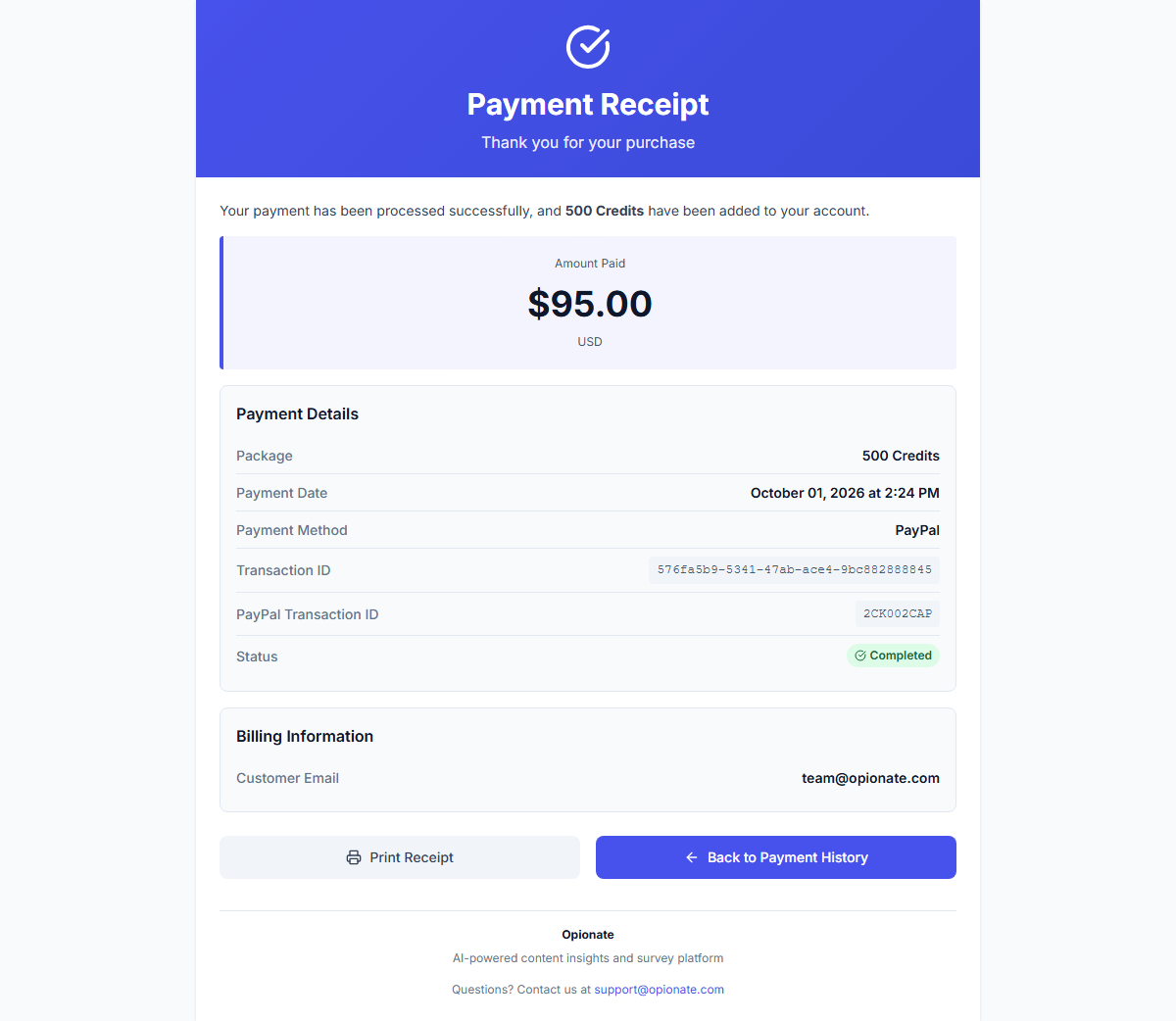
A real receipt - everything you would need to expense the purchase or reconcile it against a statement.
The Emailed Copy
In addition to being viewable in your account, a receipt is also sent automatically to your account's email address at the time of purchase. This gives you a second, independent copy outside the platform itself - useful for anyone who keeps receipts filed in an email folder for expense purposes, or who simply prefers having a record that doesn't require logging into the platform to retrieve.
If an Emailed Receipt Doesn't Arrive
An emailed receipt occasionally doesn't arrive promptly, usually because of a spam filter or a delivery delay rather than anything wrong with the purchase itself - the purchase and its credits are recorded and available immediately regardless of whether the email notification lands right away. Checking your spam or promotions folder is worth doing first. If the email genuinely never arrives, the receipt viewable directly on the platform is unaffected and remains the reliable, always-available source, regardless of what happened with the email copy.
FAQ
Can I get a receipt for a purchase made a long time ago?
Yes - every completed purchase has a permanent receipt tied to it, viewable from your transaction history regardless of how long ago it happened.
Does the receipt show enough detail for an expense report?
The receipt includes the purchase amount, date, and payment details needed for standard expense documentation purposes.
What if I need the receipt to show a different name or billing detail than what's on file?
The receipt reflects the account and payment information used at the time of purchase; if you need something adjusted, reach out to support with the specific purchase details.
Is there a way to get all my receipts at once rather than one at a time?
Each receipt is tied to its individual purchase in your transaction history; if you need a consolidated record across multiple purchases, your full transaction history page gives you the complete list to work from.
For more on your credit purchases and balance, see How to Buy Credits and Understanding Your Credit Balance and Transaction History.